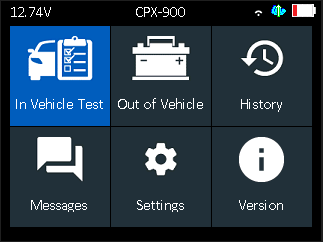
During the initial setup you will walk through the various steps to get your tool operational
Step 1
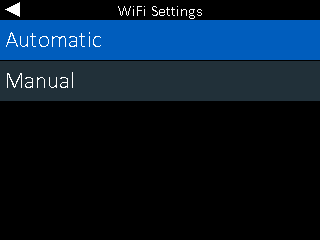
WiFi Settings – This requires you to select and connect to your WiFi network of choice and is a required step during initial setup. You can select Automatic for the tool to look for available networks, or select manual if you are choosing a hidden network to connect to.
Step 2
BMIS Credentials – Hyundai credentials are pre-loaded into the tool and do not need modification.
Step 3
Location Selection – You will see a prompt asking for you to enter your location/dealer ID. This will be a combination of your P&A code followedby a dash, then country code and ZIP code together. Ex: 12345-USA56789.
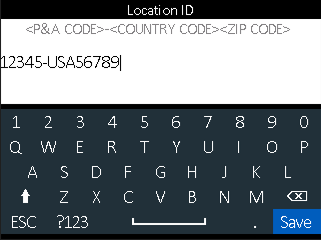
Upon entering your location ID, the tool will pull up your dealer information. Either confirm by pressing the right arrow button, or if you mis-entered the information, press the left arrow button to re-enter your location ID.
Step 4
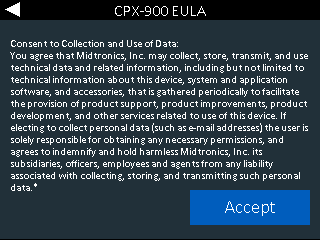
CPX-900 EULA – This is a consent to collect and use data being sent by the tool.
Step 5
Home Screen – You have completed the tool setup and are now able to use the tool for battery testing